When your platforms exchange accurate information, you gain clear visibility into food costs, labour expenses, and inventory levels. This is where restaurant back office software Australia becomes a game-changer for your daily workflow. By connecting your front-of-house tools with accounting and stock management, you regain control over your margins.
We define these connections as the vital links between your sales terminal and your ordering, payment, kitchen, or accounting platforms. This article helps you compare these tools based on their impact on service speed, order accuracy, and compliance. We will assess how to reduce implementation risk while improving your bottom line.
Key Takeaways
- Focus on data accuracy rather than the sheer number of available connections.
- Prioritise tools that automate manual tasks to save your team valuable time.
- Ensure your tech stack provides real-time visibility into food and labour costs.
- Evaluate new software based on how it simplifies your daily reconciliation process.
- Consider the long-term impact on service speed and overall customer experience.
Restaurant POS Integrations That Solve Everyday Operating Problems
Operational friction often stems from data silos that keep your front-of-house and back-of-house apart. When your technology doesn’t communicate, your staff spends more time on manual data entry than on guest service. Implementing robust restaurant software integrations is the most effective way to regain control of your daily workflow.
Orders from dine-in, takeaway, online and delivery channels
Managing multiple revenue streams without a unified system is a recipe for errors. When orders from various platforms enter your POS system for restaurants separately, your kitchen team faces a chaotic flood of tickets. You need a central hub that funnels every order into one consistent workflow.
By using restaurant POS integrations, you eliminate the need for manual re-keying. This level of restaurant automation ensures that a delivery order from a third-party app appears on your kitchen display just like a dine-in order. It reduces human error and keeps your service speed consistent across all channels.
Manual reconciliation is a major drain on your management team’s time. When your payment terminal is not synced with your POS, you risk discrepancies that take hours to resolve at the end of a shift. Modern restaurant POS systems solve this by automating the handshake between the card machine and the sales record.
- Automatic syncing: Payments are matched to orders instantly.
- Simplified refunds: Process returns directly through the POS interface.
- Faster close-outs: End-of-day reconciliation happens in seconds, not hours.
Menus, pricing, modifiers and product availability
Keeping your menu updated across every platform is a constant challenge. If you run out of a popular ingredient, you must update your availability everywhere immediately to avoid disappointing customers. Using an API-driven approach allows you to push changes from one central point to all your ordering channels.
Solutions like menumiz™ demonstrate how restaurant software integrations can handle complex modifiers and pricing updates in real-time. This ensures that your online customers see the same menu as your dine-in guests. By maintaining this synchronization, you protect your margins and improve the overall guest experience through reliable restaurant POS systems.
The Most Valuable Restaurant Point of Sale Integrations to Compare
Selecting the right restaurant POS integrations is the difference between a smooth service and a chaotic shift. When you choose a POS system for restaurants, you are essentially building the digital backbone of your venue. The goal is to eliminate friction by ensuring your hardware and software communicate without manual intervention.
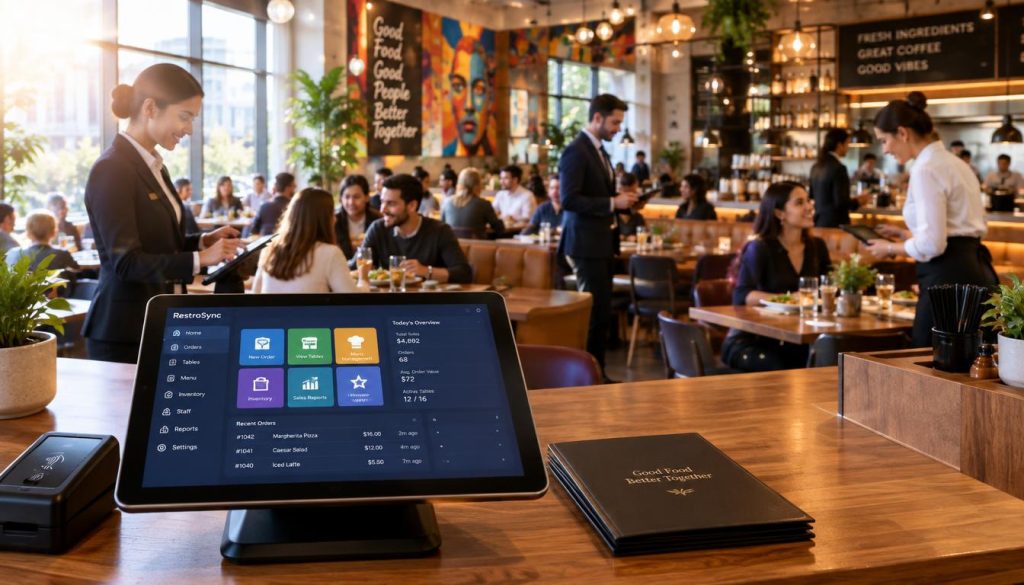
Your payment terminal must talk directly to your POS. This removes the risk of human error during manual entry. Ensure your system handles automated surcharge settings for weekends or public holidays, which is a standard requirement in the Australian market.
Questions to ask about Australian payment support and data security
Always verify that your provider complies with local PCI-DSS standards. Ask if the payment gateway supports local Australian banking protocols. Data security is non-negotiable, so ensure your provider offers encrypted end-to-end transaction processing.
How orders should reach the POS, kitchen printer and kitchen display
Efficiency relies on instant communication. Orders placed via QR codes or kiosks should hit your kitchen display system (KDS) immediately. This level of restaurant automation prevents bottlenecks and keeps your kitchen team informed in real-time.
Preventing mismatched menus, unavailable items and duplicate order entry
Centralised menu management is vital. When you update an item price or mark a dish as sold out, it should reflect across all ordering channels instantly. This prevents the frustration of customers ordering items that are no longer available.
What should flow into accounting software and what should remain in the POS
Keep transaction-level detail in your POS for operational reporting. Only push summarized daily sales, tax totals, and payment fees into your accounting software. This keeps your books clean and prevents data bloat in your financial platforms.
Separating sales, taxes, tips, discounts and payment fees in reports
High-quality restaurant management software must provide granular reporting. You need to see a clear breakdown of revenue streams. This ensures you can reconcile your accounts accurately at the end of every week.
When stock tracking adds value for cafés and multi-site restaurants
Inventory integration is a game-changer for multi-site operators. It tracks ingredient usage against sales, helping you identify waste. For a busy café, this means you can automate reordering before you run out of essential stock.
Using customer data and loyalty tools without creating fragmented records
Your loyalty program should sync directly with customer profiles. Avoid systems that create duplicate records for the same guest. A unified database allows you to track preferences and reward your regulars effectively.
| Integration Type | Primary Benefit | Common Failure Point |
|---|---|---|
| Payment Terminals | Reduced manual entry errors | Network connectivity drops |
| Accounting Sync | Automated bookkeeping | Mismatched tax categories |
| Inventory Tools | Waste reduction | Inaccurate recipe mapping |
By focusing on these restaurant technology solutions, you create a cohesive environment. Always vet your restaurant POS integration services to ensure they support your specific operational needs. A well-integrated system is the best investment you can make for long-term growth.
How to Choose Restaurant Software Integrations Without Overbuying
Navigating the world of restaurant technology solutions can be overwhelming without a clear plan. To avoid overbuying, you must treat every addition to your tech stack as a strategic investment rather than a quick fix. Focus on how these tools interact with your core hospitality software for hotels with restaurants to ensure long-term value.
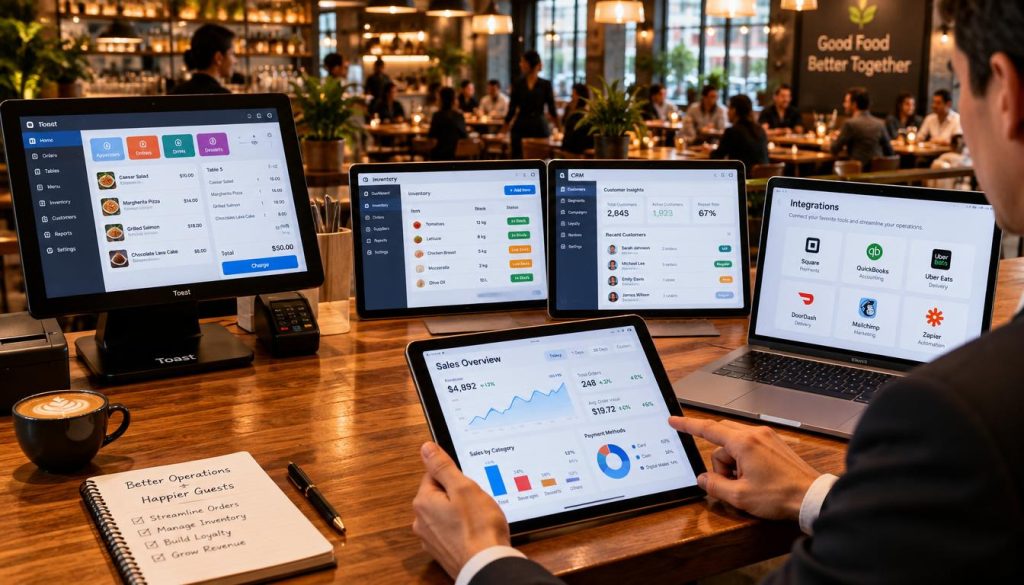
Two-way synchronisation is the gold standard for modern operations. If your system only exports data, you are likely wasting time on manual entry. Ensure your chosen restaurant POS integration services allow data to flow seamlessly between platforms to maintain accuracy.
How quickly do menu, price and availability changes appear across channels?
Real-time updates are essential for maintaining brand consistency. If your menu changes take hours to propagate, you risk selling out-of-stock items. Always test the latency of your restaurant software integrations before committing to a long-term contract.
Who supports the integration when an order or payment fails?
Clear ownership of support is vital. When a transaction fails, you need to know exactly who to call. Avoid vendors that point fingers at each other, leaving your staff to manage technical errors during a busy service.
Are setup, usage, data export and integration service costs clearly explained?
Hidden fees can quickly erode your margins. Demand transparency regarding setup costs, monthly usage charges, and any fees associated with exporting your own data. A predictable pricing model is a hallmark of reliable restaurant POS systems.
Small café: payments, accounting and simple online ordering
For a small café, keep your tech stack lean. Prioritize seamless payment processing, automated accounting, and a straightforward online ordering platform. Avoid complex tools that require dedicated staff to manage.
Busy restaurant: reservations, kitchen operations, delivery and reporting
A busy restaurant requires robust restaurant management software that handles high volumes. Focus on integrations that bridge the gap between reservations, kitchen display systems, and delivery platforms. Centralised reporting is non-negotiable for multi-site operators.
Takeaway venue: online orders, delivery channels, payments and menu control
Takeaway venues thrive on speed and menu agility. Your priority should be a unified dashboard that manages multiple delivery channels and provides instant menu control. This ensures your pricing and availability remain accurate across all platforms.
Must-have integrations: those linked directly to revenue or compliance
These are the non-negotiables for any business. They include payment gateways, tax-compliant accounting software, and essential inventory management tools. If it directly impacts your ability to trade or report revenue, it is a must-have.
Useful integrations: those that improve efficiency but are not operationally critical
These tools add value by saving time or improving customer experience. Examples include automated staff scheduling or loyalty programs. While they improve your bottom line, your business can still function if they are temporarily offline.
Unnecessary integrations: tools that duplicate existing functions or add avoidable complexity
Avoid tools that overlap with your existing restaurant POS systems. If a new integration adds more manual work than it saves, it is likely unnecessary. Complexity is the enemy of operational efficiency.
Practical Implementation Checklist:
- Verify two-way data sync capabilities.
- Confirm support escalation paths for failed orders.
- Audit all setup and recurring service fees.
- Conduct a trial run of menu updates across all channels.
- Ensure staff training is included in the implementation plan.
Conclusion
Your technology stack should serve your business goals rather than create extra administrative burdens. A successful strategy connects revenue, service, and reporting into one cohesive flow. You gain the most value when your systems talk to each other without manual intervention.
Operators often fall into the trap of buying software based on the number of features. Instead, focus on measurable needs like protecting revenue or removing repetitive tasks. High-quality restaurant software integrations allow you to automate inventory, payments, and accounting with precision. Always test data accuracy and support processes before you commit to a new launch.
Modern restaurant management software acts as the central nervous system for your venue. By choosing the right tools, you eliminate friction and regain control over your daily operations. Reliable restaurant POS integration services ensure that your sales, inventory, and online ordering stay perfectly synced across every channel.
Take a moment to review your current technology stack today. Identify the next integration that will save your team time and improve your bottom line. Reach out to the Hospoware team if you need help mapping out your digital infrastructure or selecting the right tools for your specific venue requirements.