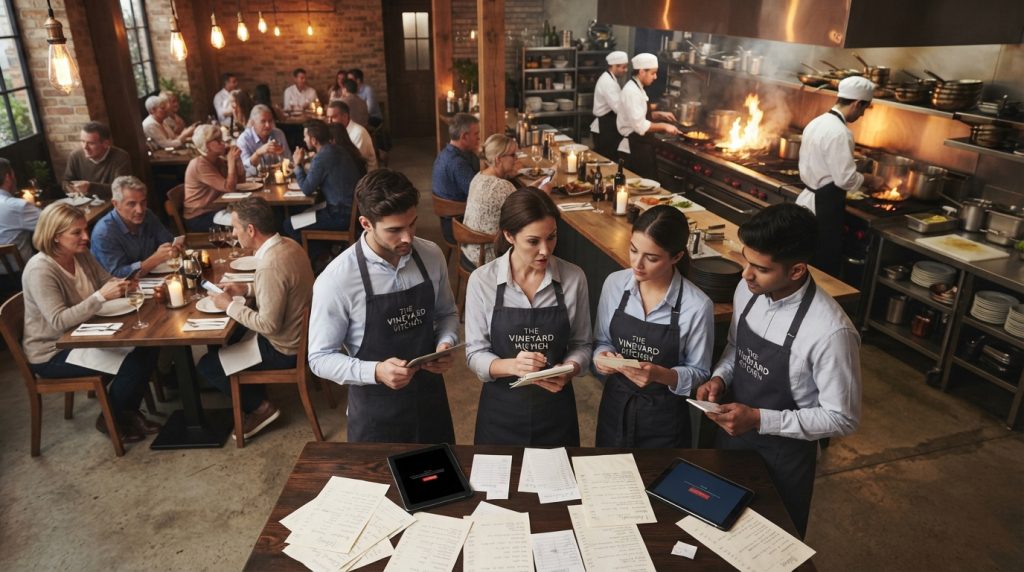
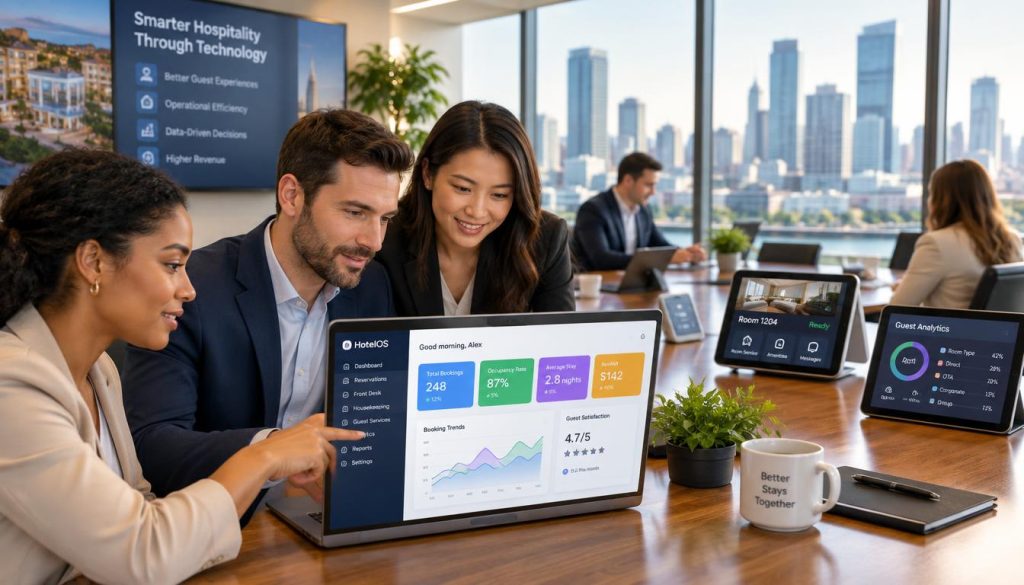
When sales, labour and purchasing data sit in separate systems, decisions slow down. You may have reports, but not a clear view of what is changing.
A restaurant reporting dashboard brings the right information into one practical view. You can review performance, spot sales trends and focus your time on the areas that need attention.
Bring your restaurant data into clearer view
Talk with Hospoware about the reporting questions that matter to your business.
Why a Restaurant Reporting Dashboard Matters
Good reporting is not about collecting the largest number of metrics. It is about giving the right people reliable information at the right time.
Restaurant operators need to understand what happened, why it happened and what to review next. A dashboard can make that process easier by presenting key performance indicators in a consistent format.
Move from scattered reports to useful information
A daily sales report may show revenue. A labour report may show rostered hours. A purchasing report may show supplier costs. Viewed alone, each report gives only part of the picture.
When these reports are reviewed together, you can compare sales trends with labour use, food cost and item performance. That wider view supports better decisions across restaurant operations.

Daily visibility
Review current sales and operational data without waiting for a long manual report cycle.

Shared context
Give owners, managers and finance teams a common view of business performance.

Faster review
Identify areas that need a closer look before small changes become larger operational problems.
Make informed decisions with consistent reporting
Consistent reports help you compare periods, locations, shifts and items using the same approach. This is useful when a restaurant has several trading days, venues or managers to review.
You can make informed decisions about staffing, menu performance and purchasing when the underlying data is easy to understand. The dashboard should support your review process, not create another layer of administration.

Need a clearer reporting process?
Start with the decisions you make each day, then identify the data needed to support them.
What Your Dashboard Should Help You Review
The best dashboard is built around practical questions. It should help you review sales, labour, food cost, customers and operational performance without forcing you to search through unrelated data.
Sales trends and revenue performance
A restaurant sales dashboard should help you review sales by useful periods and categories. Depending on your verified data sources, this may include daily, weekly or monthly views, item performance and revenue comparisons.
Look for a clear sales report that helps you understand movement over time. A single number can confirm the result. A trend can help you decide what to investigate.
- Review sales trends across selected periods.
- Compare revenue performance between relevant trading periods.
- Identify items or areas that deserve further review.
- Use consistent definitions for sales and performance metrics.

Labour and staffing visibility
Labour is a major part of restaurant operations. A sales and labour dashboard can help you review labour information beside sales results, rather than treating each report as a separate task.
Review the measures that your systems verify. Depending on the available data, this may include labour hours, labour cost, sales and labour cost percentage. Avoid relying on a dashboard that displays impressive metrics without clear definitions.

Food cost and purchasing review
Food cost needs context. A food cost percentage may change because of purchasing activity, menu mix, waste, pricing or sales movement. The dashboard should help you identify areas for review rather than suggest that one metric explains every result.
Use food data with care. Check the reporting period, source and calculation method. Then connect the result to an operational question, such as whether purchasing needs review or whether item performance has changed.

Customer and item insights
Customer data can help you understand activity and demand when it is captured accurately. Item data can help you review which products contribute to sales and which may need attention.
These insights should support decisions. They should not distract from the operational priorities of your restaurant or create reports that nobody uses.

How to Evaluate Restaurant Reporting Software
Before choosing a dashboard, assess how it will fit your reporting habits. A polished screen is not enough. The tool must help your team review data, understand performance and act with confidence.
Clarity
- Can operators understand the report without lengthy training?
- Are key performance indicators easy to locate?
- Can you see the period and source behind each result?
Control
- Can authorised users access the information they need?
- Can you review consistent reports across the business?
- Can managers focus on decisions rather than manual data work?
Fit
- Does the reporting approach match your restaurant operations?
- Can the dashboard support your current review periods?
- Is the implementation process clear before you commit?
Check the quality of the data
A dashboard is only as useful as the data behind it. Ask how data is collected, how often it is updated and how metrics are defined. Confirm which reports are available before relying on them for business decisions.
Data quality also depends on daily process. If staff record sales, labour or purchasing information inconsistently, the report may not reflect actual performance. A dashboard can help reveal gaps, but it cannot replace sound operating practices.

Choose useful reporting views
Good reporting gives you enough detail to investigate without overwhelming the first view. Start with the metrics that influence decisions. Add detail where it helps you find the cause of a result.
- Use a summary view for daily management.
- Use trend views for period comparison.
- Use item views for menu and product review.
- Use labour views for staffing and cost review.
- Use food and purchasing views for cost control.

Summary first
Make the main business view quick to scan during a busy trading day.

Detail when needed
Allow managers to investigate sales, labour, food and item performance without losing the wider view.

Actionable review
Connect each report to a decision, owner and review period.
Use Hospitality Analytics to Support Better Decisions
Hospitality analytics is most valuable when it connects reporting with daily management. You need a clear view of performance, but you also need a practical way to respond.
Hospoware is designed for hospitality businesses seeking greater operational visibility. Review the live product information and discuss your requirements before selecting the right solution for your restaurant.
Connect reporting to the work your team already does
Reporting should sit close to the decisions your team makes. Owners may review business performance. Venue managers may review sales, labour and customer activity. Purchasing teams may focus on food cost and supplier information.
Different users need different levels of detail. A useful dashboard helps each person view relevant information without making the business maintain several disconnected reporting processes.

Explore connected hospitality solutions
Your reporting needs may sit alongside other operational requirements. Explore the relevant Hospoware hospitality solutions to understand the wider product approach.
Where relevant, review Menumiz for menu-related needs, Hospoforce for workforce requirements and Hospomarket for purchasing or marketplace requirements. Confirm current product scope on the live pages.

Menu operations
Review Menumiz when menu management is part of the wider operational conversation.

Workforce planning
Review Hospoforce when labour and team management are central to your requirements.

Purchasing workflow
Review Hospomarket when purchasing information and supplier activity matter to your business.
Find the right operational fit
Share your reporting priorities and review the available Hospoware options with a knowledgeable team.
Who Needs a Restaurant Reporting Dashboard?
A dashboard can support any hospitality business that needs a more consistent view of sales, labour, food and performance data. The right scope depends on the number of users, locations and decisions involved.

Independent restaurants
Use one clear report view to review sales, labour and cost information without building manual reports from several sources.

Cafés and venues
Review trading periods, item performance and operational efficiency in a format that suits a fast service environment.

Multi-site groups
Create a more consistent review process across locations while keeping attention on local restaurant operations.
For owners and operators
Owners need to understand the health of the business. Operators need information they can use during service planning and weekly reviews. A shared dashboard can help both groups work from the same data.
For finance and operations teams
Finance and operations teams often need to compare reports, check cost percentage and explain changes in performance. Clear definitions and reliable periods matter as much as the visual presentation.

Keep the first question simple
Ask: “What decision should this report help us make?” If the answer is unclear, the dashboard may contain too much information or the wrong information.
How to Choose and Implement Your Dashboard
Choosing a reporting tool is a business decision, not only a technology decision. The dashboard must fit your people, processes and reporting priorities.
1. List the decisions you need to improve
Write down the decisions that take too much time or rely on guesswork. These may include staffing reviews, sales planning, food purchasing or item performance decisions.
2. Define the required data
List the data you can verify today. Separate essential reports from useful future reports. Confirm whether the dashboard can support the sales report, labour report and food cost information your team actually uses.
3. Agree on report definitions
Different teams may use the same words in different ways. Agree on the meaning of sales, revenue, labour cost, food cost percentage and other key performance indicators before comparing results.
4. Assign ownership
Every regular report needs an owner. Decide who reviews the data, who investigates changes and who records the next action. This turns reporting into a management habit.
5. Start with a focused view
Begin with the reports that affect daily and weekly decisions. Add detail after the team understands the first view. This approach supports adoption and reduces unnecessary reporting work.

| Evaluation area | Question to ask | Useful outcome |
| Data | Which data sources and periods can be verified? | A clear basis for reporting |
| Usability | Can restaurant managers understand the main view quickly? | More consistent daily review |
| Scope | Which sales, labour, food and item reports are available? | Better product fit |
| Adoption | Who owns each report and action? | A repeatable review process |
Ready to assess your reporting requirements?
Use a focused conversation to clarify your priorities, reporting process and next steps.
Restaurant Reporting Dashboard FAQs
What is a restaurant reporting dashboard?
A restaurant reporting dashboard is a visual reporting view that helps operators review business data. It may bring together verified sales, labour, food cost, customer or item information, depending on the available systems and product scope.
What should a restaurant sales dashboard show?
It should show the sales information you need to review performance across relevant periods. Confirm the available sales report fields, definitions and update process before choosing a tool.
How can a sales and labour dashboard help?
It can place sales and labour information in the same review process. This helps you assess staffing and labour cost in the context of business activity, subject to the verified data available.
Why does food cost percentage need context?
Food cost percentage can change for several reasons, including purchasing, menu mix, waste, pricing and sales movement. Review the calculation, period and source before making an operational decision.
Can a dashboard support more than one restaurant?
That depends on the product scope, account structure and available reporting views. Multi-site businesses should confirm how locations, users and periods are handled before proceeding.
How do I know which dashboard is right for my business?
Start with your decisions, required data and users. Then assess clarity, definitions, report scope, implementation effort and support. Discuss your needs with Hospoware before making a decision.

Make Your Restaurant Reporting More Useful
A dashboard should help you see the business clearly and act with purpose. Review sales trends, labour, food cost and other verified metrics in the context of your restaurant operations.
The right reporting process can reduce uncertainty without adding unnecessary complexity. Start with the decisions that matter, define the data you trust and choose a solution that fits the way your team works.

Take the next step with Hospoware
Review your reporting needs with a team focused on practical hospitality operations.