Choosing between a digital workflow and traditional paper tickets is a defining moment for any Australian hospitality business. This decision is not merely about following the latest tech trends; it is a fundamental operational choice that dictates how your team communicates during a busy service. Whether you are running a bustling café or a high-volume restaurant, your hardware setup directly impacts your ticket flow and overall order accuracy.
For many operators, the debate regarding a kitchen display system vs kitchen printer comes down to your specific service volume and menu complexity. A digital screen replaces paper rails with a live, interactive queue that tracks modifiers and prep status in real-time. Conversely, a reliable printer remains a practical, cost-effective solution for smaller venues or single-station setups where simplicity is key.
As you scale, integrating modern tools like QR code ordering often necessitates a more robust digital approach to manage incoming data. We will explore how these tools influence your station layout, reliability, and long-term operational costs. By evaluating your unique needs, you can select the right technology to streamline your back-of-house performance.
Key Takeaways
- Digital screens provide real-time visibility, significantly reducing order errors compared to paper tickets.
- Paper-based setups remain highly effective for small, single-station venues with straightforward menus.
- A digital workflow is essential when managing multiple ordering channels to prevent communication bottlenecks.
- Operational data from digital platforms helps you track prep times and improve overall staff efficiency.
- Consider a hybrid approach, using screens for main stations and printers for specific packaging or receipt needs.
What Your Kitchen Order Management Setup Needs to Solve
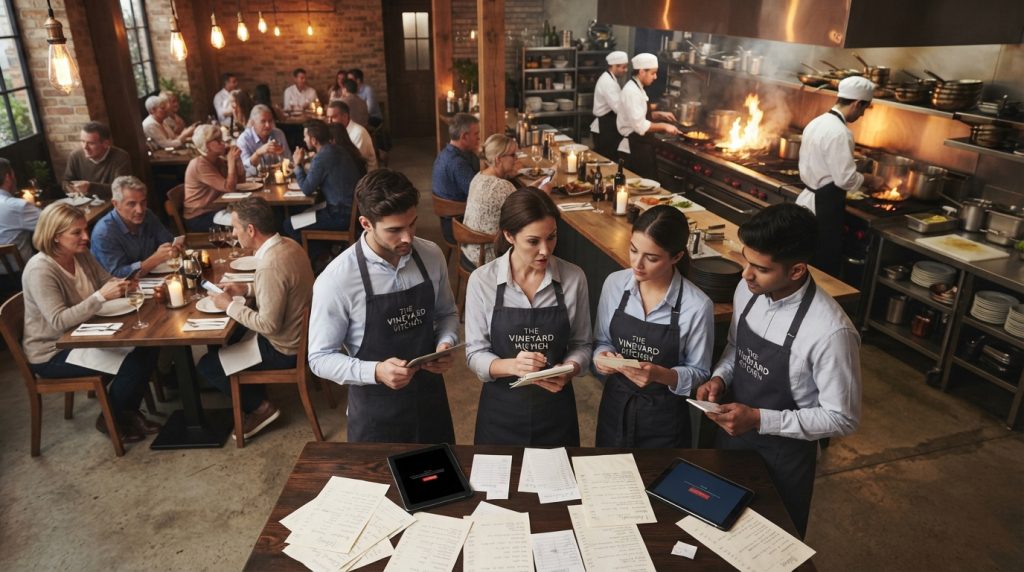
Effective kitchen order management is the backbone of any high-performing Australian venue. Your system must eliminate common friction points like lost paper tickets, unclear modifiers, and the constant need for verbal updates between the front and back of house.
When you invest in the right restaurant technology, you gain immediate visibility over your workflow. A live queue, preparation timers, and clear status categories allow your team to distinguish between new orders, items currently in progress, and those ready for handoff.
Consider a busy inner-city café during the morning rush. Staff must juggle dine-in orders, takeaway coffees, and incoming requests from an online ordering system simultaneously. Without a centralised digital flow, the kitchen risks missing items or misreading complex customer requests.
If you are looking to upgrade, you should evaluate how your current setup handles these pressures. A kitchen display system can transform how your team processes these varied order types by routing them to the correct station automatically.
Your decision should be based on your specific operational scale. A small venue with one cook and a simple menu may function perfectly with basic tools. However, a high-volume venue requires sophisticated restaurant back office software to maintain workload visibility and control.
Ultimately, your kitchen order management setup needs to solve these core operational challenges:
- Eliminating lost tickets that cause customer complaints.
- Clarifying modifiers to ensure every dish is prepared correctly.
- Reducing verbal noise by providing a single source of truth for the team.
- Tracking preparation times to improve overall service speed.
Kitchen Display System vs Kitchen Printer: Features, Strengths and Trade-offs
Choosing between a digital display and a paper ticket system requires a deep look at your kitchen’s daily rhythm. Every venue has unique needs, and the right kitchen display system can transform how your team manages high-pressure service.
Where a kitchen display system works best
A digital display excels in high-volume environments where order accuracy is paramount. If your menu features frequent modifiers or you rely on QR ordering, screens provide clear, real-time visibility that paper simply cannot match.
These systems allow for intelligent station routing, ensuring that specific items reach the correct prep area instantly. This level of kitchen automation keeps your team synchronised during the busiest shifts.
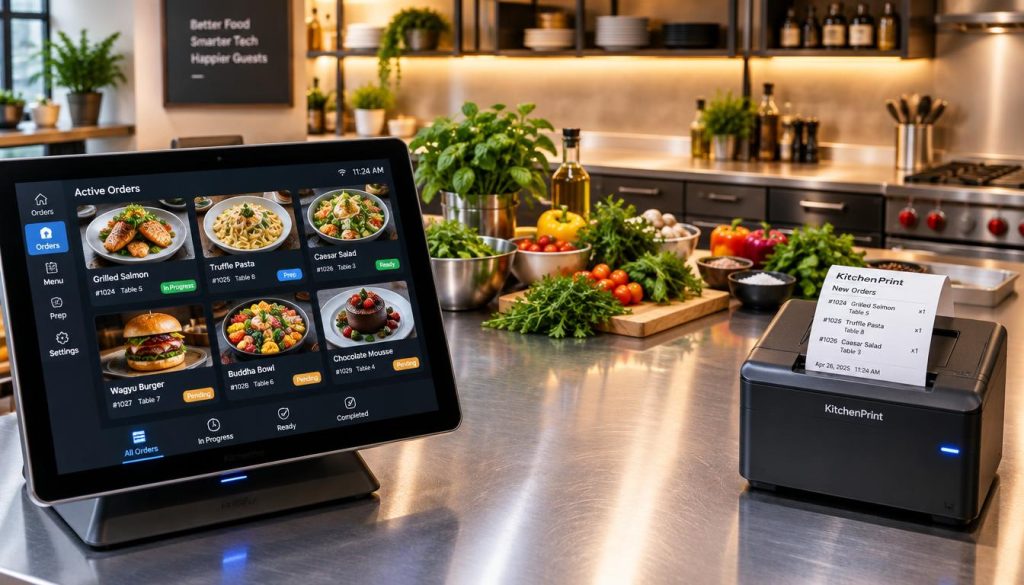
Digital hardware requires a stable internet connection and careful placement away from extreme heat or grease. You must also account for the learning curve, as staff need time to adapt to new digital workflows.
Always maintain a documented backup process for connectivity outages. Relying solely on technology without a contingency plan is a risk you should avoid.
Where a kitchen printer works best
A traditional kitchen printer remains the gold standard for compact cafés, bars, or takeaway counters. These devices are robust, inexpensive, and provide a physical record that is easy to handle in tight spaces.
Printers are ideal for simple menus where complex routing is unnecessary. They offer a tactile workflow that many experienced chefs still prefer for its simplicity and reliability.
Limitations to consider before installation
Paper tickets can easily get lost, damaged, or obscured by kitchen debris. Furthermore, printers generate ongoing costs for thermal paper and do not provide the data insights needed to track prep times or bottlenecks.
They lack the ability to update orders in real-time. If a customer changes their mind, you are often left with a confusing trail of voided paper tickets.
When a hybrid kitchen communication system makes sense
For many operators, a kitchen communication system that blends both technologies offers the best of both worlds. You can use a main display for primary order management while keeping a printer as a reliable backup.
This hybrid approach ensures that your service never stops, even if the network fails. It provides the operational resilience required to maintain high standards during peak hours.
Conclusion
Your choice between a digital kitchen display and a traditional printer hinges on your specific operational volume and menu complexity. High-volume venues benefit from the routing capabilities of a screen, while smaller shops might find simplicity in paper tickets. You must weigh your order channels, modifier frequency, and staff adoption rates before committing to new hardware.
Use this checklist to audit your needs: confirm your internet resilience, verify printer compatibility, and map out your screen locations. A robust kitchen display monitor setup requires stable connectivity and clear mounting points to ensure long-term reliability. Always maintain a backup procedure to keep service running during unexpected outages.
Frequently Asked Questions
Does a small café need a KDS? Not always. If your menu is simple and your ticket volume is low, a printer remains a cost-effective and reliable choice.
Can I keep a kitchen printer as a backup? Yes. Many operators run a hybrid model to ensure orders reach the line even if the digital system experiences a network glitch.
What hardware should I check before installing a monitor? Focus on your Wi-Fi stability, power outlet proximity, and the thermal tolerance of the environment to prevent hardware failure.
Review your current kitchen workflow with the team at Hospoware to determine which technology best supports your growth. We help you eliminate friction and regain control of your service.